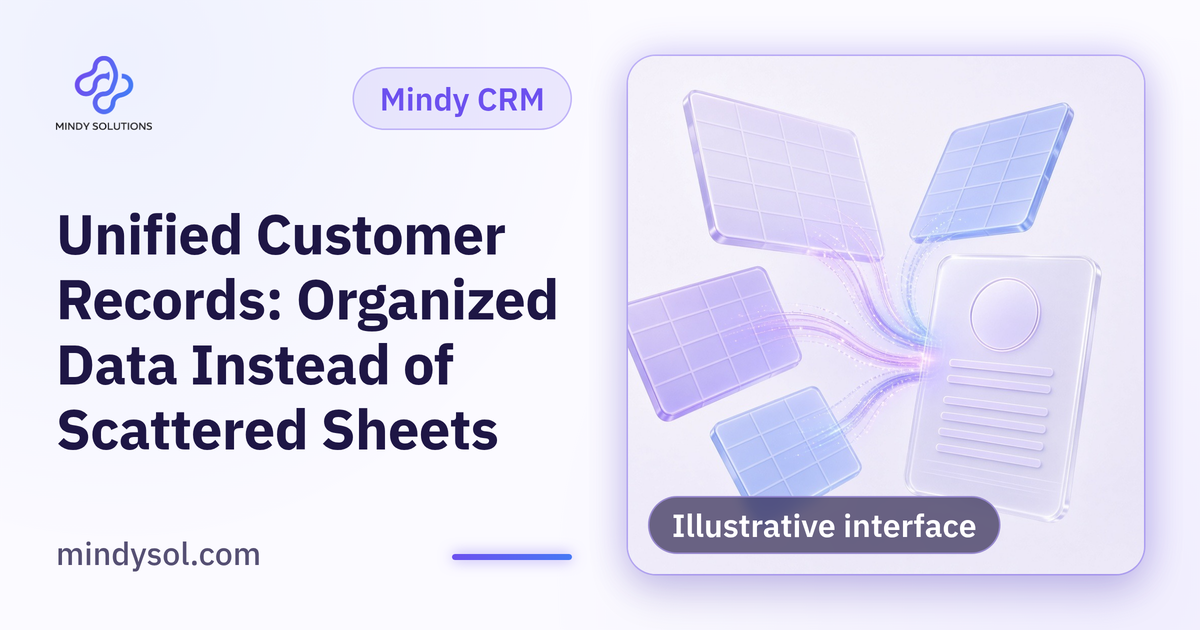
Ask any company where its customer data lives and the answer tends to be "everywhere": a spreadsheet in sales, a list in marketing, names in staff phones, invoices in accounting and conversations in messaging apps. Every piece exists, but nothing brings the full picture together. When a customer calls, nobody knows their whole history. When an employee leaves, their customer knowledge leaves too. A unified customer record solves this. At Mindy Solutions, here's why scattered data is costly, what a unified record contains and how to build and maintain one.
Problems with scattered data
Duplication and conflict
The same customer recorded several ways with different details.
Incomplete picture
Each department sees only part of the relationship.
Confusing experience
Customers re-explain their situation to everyone.
Lost knowledge
Departing staff take customer information with them.
Hard analysis
You can't tell who your key customers are or who has stopped buying.
What a unified record is
A unified record is one profile per customer holding everything relevant: core details, communications, purchases, requests and team notes. Anyone opening it sees the full picture and continues where a colleague left off, without asking the customer the same questions again.
Record components
Core details
Name, organization, contact methods and city.
Communication log
Calls, messages and meetings with dates and summaries.
Deals and orders
Current and past, with stages.
Invoices and payments
If connected to finance.
Service requests
Inquiries, issues and resolutions.
Notes
Preferences and useful relationship details.
Source
Where the customer first came from.
Start with a data inventory
Before building, find where your data is: list every source with customer information, what each contains and who updates it. The inventory reveals the work involved and which sources to start with.
Cleanup and standardization
Scattered data tends to contain duplicates, inconsistent formats, missing fields and outdated information. Clean it before migration:
Merge duplicates
One customer recorded several times becomes one record.
Standardize formats
One way to write numbers, names and cities.
Fill gaps
Where possible, or flag missing fields.
Remove outdated data
Information no longer accurate or useful.
Clear entry rules
After cleanup, keep disorder from returning: mandatory fields, field formats, naming conventions for organizations and checking for existing customers before adding. The system can help by flagging duplicates and enforcing formats.
Connecting data sources
A unified record is stronger when it updates from other sources: website forms add leads directly, invoices flow from accounting and orders from the store, reducing manual entry.
Role-based permissions
Not everyone needs to see everything. Set role-based permissions and collect only what the work needs, so records stay concise and easy to read.
The communication log: shared memory
The communication log adds particular value. A short summary of each call or meeting, covering what was said, what was agreed and the next step, lets anyone continue confidently and makes customers feel the whole company knows them.
Records and customer experience
When service staff see past orders, issues and preferences, they help faster and more personally. When sales reaches out, they choose the right offer based on history. Customers feel the difference immediately.
Records and analysis
Unified data enables analysis: who your key customers are, who stopped buying, which services are bought together and which sources bring strong customers.
Handoffs between staff
Customers deal with several people over time: sales at first, then a project manager, then service, sometimes a new salesperson years later. Each handoff risks losing important information. A unified record makes handoffs smooth: the new person reads the record and continues where the last one stopped, and the customer never feels they're starting over.
Records and marketing
With a clear view of customers, marketing becomes more precise: offering complementary services instead of something the customer already has, and crafting dedicated messages for customers who've gone quiet.
Maintaining quality
Data quality declines without attention as customers change numbers and staff relax entry standards. Assign an owner for data quality, review duplicates and gaps regularly and remind the team of entry rules.
Common mistakes
Migrating without cleanup
Chaos moves into the new system.
No entry rules
Duplicates return quickly.
Records without a communication log
Details without the relationship story.
Open permissions
Messy edits and no clarity on who changed what.
No quality owner
Data degrades over time.
Getting started
Inventory sources
Where customer data lives today.
Clean and standardize
Merge duplicates, unify formats.
Set entry rules
And core fields.
Connect sources
For automatic updates.
Assign a quality owner
With regular reviews.
Mindy CRM and customer records
At Mindy Solutions we built Mindy CRM to bring customer and sales data into one place, with add-ons for communication and marketing, finance, operations, and analytics and reporting. More details are on the Mindy CRM page of our website.
Frequently asked questions
How is a customer list different from a unified record?
A list holds names and numbers; a record holds the whole relationship history in one place.
Must I clean data before migrating?
Yes, or problems move into the new system.
How do I prevent duplicates?
Clear entry rules and system alerts when a customer already exists.
Who can see customer data?
Based on permissions set for each role.
How do I maintain data quality?
With a clear owner and regular reviews of duplicates and gaps.
---
Our team specializes in these services. Get in touch so we can understand your business needs and suggest the right next step.
Our team specializes in these services. Get in touch so we can understand your business needs and suggest the right next step.
💬 Contact us